
Rank Math Pro: Advanced WordPress SEO Plugin Features & Guide
Looking for more control over your WordPress SEO? Rank Math Pro throws in tools that go way past the basics. It bundles advanced features like keyword tracking, schema options, and AI-driven content suggestions into one plugin. You don’t have to juggle a pile of different tools anymore.
You can set up structured data, monitor keyword performance, and optimize content with detailed insights right inside WordPress. The plugin works smoothly with e-commerce sites, so displaying product info in search results gets easier. With flexible pricing, it fits whether you’re running a tiny blog or handling a bunch of websites.
Key Takeaways
- Rank Math Pro packs advanced SEO features into one plugin.
- It supports detailed optimization and works well with different kinds of sites.
- Flexible pricing means it’s handy for both small and big websites.
What Is Rank Math Pro?
Rank Math Pro is a premium SEO plugin for WordPress that builds on what the free version already does. It adds more advanced tools for keyword tracking, structured data, and analytics, so you can manage search optimization right from your WordPress dashboard.
Overview of Rank Math SEO Plugin
Rank Math is an SEO plugin for WordPress that helps you optimize posts, pages, and products for search engines. Even the free version covers the basics—on-page SEO tips, XML sitemaps, and basic schema markup.
Rank Math Pro expands those features. You get keyword rank tracking, advanced schema support, and detailed analytics pulled straight from Google Search Console and Google Analytics. You can monitor your site’s performance across different metrics without ever leaving WordPress.
There are automation features too. Schema can be applied automatically to posts, and image SEO options let you bulk edit alt text or captions. These tools save time and make managing big sites a little less overwhelming.
Core Differences Between Free and Pro Versions
The free version handles basic SEO, but Pro unlocks higher limits and deeper insights. Keyword tracking is a big one—free users get very limited tracking, while Pro users can track up to 500 keywords.
Data handling is also different. Free accounts fetch Google data every 3 days and store it for 90 days. Pro users get daily data fetches and 180 days of storage, so you see a clearer picture of trends.
Here’s a quick comparison:
User Interface and Experience
You manage Rank Math Pro right inside your WordPress dashboard, so it feels like part of your site instead of an add-on. The interface is clean, with tabs, toggles, and tooltips to help you through the settings.
While editing content, the plugin gives you clear SEO suggestions. It shows keyword usage, readability checks, and schema options right in the post editor. That means less bouncing between different tools.
Reports and analytics live in your dashboard too. You can check keyword positions, see which posts are winning or losing, and get traffic insights—all without logging into any external platforms. For daily use, this setup just makes things easier.

Key Features of Rank Math Pro
Rank Math Pro gives you tools for detailed SEO analysis, better search result appearance, and keyword performance tracking inside WordPress. It also adds AI-driven writing suggestions and internal linking guidance, so you can create content designed to rank—without needing a bunch of separate plugins.
Advanced SEO Analytics and Reporting
You can run advanced SEO analysis across your entire site to spot missing meta descriptions, thin content, or orphaned pages. The built-in SEO analysis tool gives you a score and actionable recommendations, so you know exactly where to start fixing things.
The reporting dashboard shows trends over time, like position history for your keywords. It’s a lot easier to see which changes actually move the needle.
Rank Math Pro goes beyond basic plugins by combining site-wide audits with page-level insights. You can review technical SEO issues, structured data errors, and content gaps—all without leaving WordPress.
For bigger sites, this saves hours. You get an organized list of tasks and can focus on updates that really matter for SEO optimization.
Schema Markup and Rich Snippets
Rank Math Pro comes with advanced schema markup options—not just the basics. You can add schemas for courses, job postings, events, software, and videos. Search engines get a clearer idea of your content type, which helps you earn rich snippets.
The schema generator makes setup simple. Fill in a few fields and the plugin spits out valid JSON-LD code that passes Google’s validation tools.
Rich snippets can show ratings, product prices, or event dates right in search results. That’s a visibility boost and can raise click-through rates, all without rewriting your content.
Since schema’s handled inside WordPress, you don’t need extra plugins or custom code. Structured data gets more accessible, even for complex sites.

Content AI and Internal Linking Suggestions
The Content AI feature checks out top-ranking pages for your focus keyword and suggests related terms, questions, and even content length. It helps you match what search engines expect for your topic.
You get content AI credits every month to run these analyses. Running it before and after writing helps make sure your article is well-structured and optimized.
Rank Math Pro also gives you internal linking suggestions as you write. It highlights places where you can connect your post to other pages, which strengthens topical relevance and helps with crawlability.
All these tools together cut down on guesswork and make it easier to build content that ranks, while keeping your site structure clear.
Keyword Rank Tracker and Tracking Tools
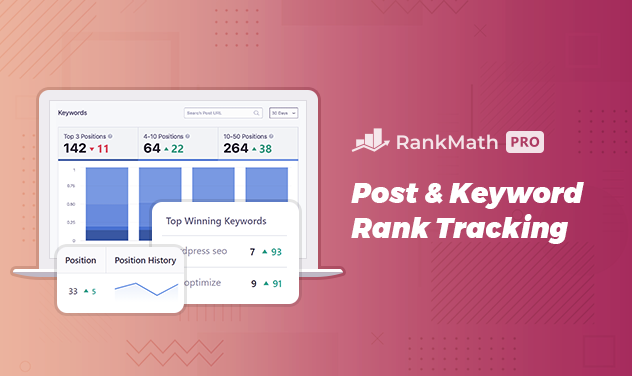
The built-in keyword rank tracker lets you monitor up to hundreds of focus keywords (depending on your plan). It records position history, so you can tell if your rankings go up or down after updates.
The tracker shows estimated search volume, ranking keywords, and movement across search results. You can filter by time period to spot trends.
No need for separate keyword tracking services. You handle your SEO analytics, rankings, and reporting right inside WordPress.
With rank tracking tied to other SEO features, you get the full picture of how your optimization is paying off. It’s easier to decide what to keep doing and what to tweak.
Rank Math Pro Integrations and Compatibility
Rank Math Pro connects with the key platforms most people already use for SEO and site management. These integrations help you track performance, boost visibility, and even optimize online stores—all without juggling a bunch of external tools.
Google Analytics 4 Integration
With Rank Math Pro, you can link your site to Google Analytics 4 (GA4) and see important metrics right inside your WordPress dashboard. That means less switching between platforms.
You’re able to track user behavior, traffic sources, and conversions in one spot. It’s a lot easier to see which pages bring in visitors and which posts lead to sales or sign-ups.
The plugin supports event tracking too. You can monitor clicks, downloads, or form submissions without messing with custom code. Having this data in your dashboard makes it way simpler to tweak things for better engagement.
With GA4 insights sitting next to Rank Math’s SEO tools, you get a clear view of how your content performs in search—and what visitors do once they land on your site.
Google Search Console Integration
Rank Math Pro has built-in Google Search Console integration so you can check search data without leaving WordPress. See which keywords drive impressions, clicks, and rankings—all in your dashboard.
This helps you spot underperforming pages and update them with better keywords or content. You can also check indexing status and see if Google’s flagged any issues with your site.
There’s a simple table view for search queries, average positions, and click-through rates. It’s easier to find chances where you’re on page two and could bump up with a few tweaks.
With Search Console data right next to your SEO settings, making quick, data-driven decisions just gets easier.
WooCommerce SEO and eCommerce Tools
If you’re running an online store, Rank Math Pro brings WooCommerce SEO features to optimize product pages, categories, and shop archives. Search engines get a better read on your product details, which can improve how they show up in search results.
You can add structured data for products—think price, stock status, and reviews. This boosts your chances for rich snippets in search, which can drive more clicks.
The plugin supports automatic meta generation for products. Instead of writing titles and descriptions for every single item, you set up templates that apply across your store.
For bigger shops, you can bulk edit SEO settings for multiple products at once. That saves a ton of time and keeps things consistent.
With WooCommerce SEO Pro features and Rank Math’s analytics integrations, you can track how product pages perform and make changes that directly affect sales.
Advanced Sitemap and Schema Capabilities
Rank Math Pro gives you more control over how search engines read and display your site. You can manage advanced sitemap options, build structured data that fits your content, and improve visibility for local searches with specialized schema features.
XML Sitemaps and Video Sitemap
Rank Math Pro automatically creates XML sitemaps to help search engines crawl your site better. You pick which post types, taxonomies, or pages to include, so you control what gets indexed.
The plugin supports news sitemaps and video sitemaps too. That’s especially handy if you publish time-sensitive stuff or host videos. A video sitemap helps search engines find your embedded videos, making them eligible for video schema results.
You can exclude certain pages, set image inclusion, and tweak update frequencies. This lets you keep your sitemap tidy and relevant. For bigger sites, it really helps reduce crawl waste and makes sure important content gets priority.
Key benefits:
- Pick what content types to include or exclude
- Supports video and news sitemaps
- Better indexing for multimedia and time-sensitive posts
Custom Schema Builder and Schema Types
Rank Math Pro has a custom schema builder so you can create and save your own schema templates. It goes beyond the basic schema generator by letting you add advanced schema types or extend existing ones with more properties.
You get built-in templates for articles, products, FAQs, and more. If you need something custom, you can define your own properties and group them into structured hierarchies. You can even auto-insert variables like post title or featured image into schema fields.
This setup helps you scale structured data across your whole site without repeating the same manual work. For example, you can make a schema template for all blog posts and apply it everywhere using display conditions.
Practical uses:
- Add aggregate ratings to product pages
- Extend article schema with author info
- Import schema from competitor sites to analyze what they’re doing
Local Business Schema and Local SEO Pro
If you’re aiming for local customers, Local SEO Pro features in Rank Math Pro make it easy to set up detailed local business schema. You can specify your business type, address, opening hours, contact info, and even geo-coordinates.
Rank Math covers over 190 local business categories, so you’ll get schema markup that fits your industry. This helps search engines show your business details accurately in knowledge panels and map results.
You can set up multiple locations and create location-specific sitemaps. That’s super handy if you’ve got branches in different cities.
With structured data and these settings, you’re more likely to show up in local search packs.
Local SEO Pro highlights:
- Multiple business locations
- Customizable local business schema
- Enhanced visibility in Google Maps and local search results
Setup, Upgrade, and Management
Install Rank Math Pro alongside the free version, link it to your Rank Math account, and manage your license from your WordPress dashboard. You can control access with the Role Manager and handle multiple sites or clients using the built-in tools.
Installation and Setup Wizard
Start by installing the free Rank Math plugin from your WordPress dashboard. Then upload and install the Pro version you downloaded from your Rank Math account.
You need both the free and Pro plugins active for Pro features to work. After activation, the Setup Wizard walks you through important settings.
You can pick Easy, Advanced, or Custom modes, depending on how comfortable you are with SEO. The wizard covers:
- Basic site information
- Google Search Console integration
- Sitemaps
- Schema markup
- SEO automation options
You can always revisit the wizard later and tweak things if you need to.
Upgrading to Rank Math Pro
To upgrade, grab a Pro license from your Rank Math account. Make sure your free version is up to date before installing the Pro plugin.
Upload the Pro plugin zip file under Plugins → Add New → Upload Plugin in WordPress. Once it’s installed, activate it and connect it to the same Rank Math account you used for your subscription.
If your free version is already connected, disconnect and reconnect with your Pro account. During activation, you can pick your license type (Pro, Business, or Agency) if you’ve got more than one.
After activation, check your license status under Rank Math SEO → Dashboard → Help. That way, you’ll get Pro updates and support.

Role Manager and Client Management
The Role Manager lets you choose which WordPress user roles can access Rank Math features. You can allow or block tasks like editing SEO settings, managing redirects, or changing schema.
This is really helpful if you have a team working on the site. For agencies or freelancers, Rank Math Pro supports client management too.
You can handle multiple sites from one account, assign roles for each client, and generate advanced reports. That way, you keep control over SEO tasks but can share access with clients or team members as needed.
Rank Math Pro Pricing and Plans
Rank Math has several paid options for different users—individuals, bloggers, freelancers, or agencies with tons of client sites. Each plan comes with its own price, supported sites, keyword tracking limits, and advanced features.
Comparison of Free, Pro, Business, and Agency Plans
The Free plan gives you basic SEO tools. It’s fine for simple optimization if you don’t need advanced tracking or reporting.
The Pro plan is $6.99/month (billed annually, renews at $7.99). You get unlimited personal sites, up to 500 keywords tracked, advanced schema, sitemaps, and keyword rank tracking. Client sites aren’t included here though.
The Business plan costs $20.99/month (renews at $24.99). This covers 100 client websites, 10,000 keywords, advanced reporting, and more Content AI credits. It’s a solid pick for freelancers or small agencies.
The Agency plan is $49.99/month (renews at $59.99). You’ll get 500 client websites and 50,000 tracked keywords. This one’s definitely for bigger agencies who need scale and premium support.
Here’s another quick comparison:
*Billed annually, renewal rates in brackets.
Content AI Credits and Priority Support
All paid plans include Content AI credits for generating SEO-optimized content. Credits per plan:
- Pro: 5,000 credits
- Business: 12,000 credits
- Agency: 30,000 credits
You can use these for keyword ideas, content outlines, and improving readability. Credits reset each billing cycle.
Support varies too. Pro users get standard 24/7 support. Business and Agency plans come with priority support, so your requests get bumped up the queue. That’s a lifesaver if you’ve got lots of client sites and need quick answers.
Refund Policy and Trial Information
Rank Math gives you a 30-day money-back guarantee on all paid plans. If you’re not happy, just ask for a refund within that window.
There’s no full free trial for premium features, but you do get a 15-day trial of Content AI with credits included. This lets you try out the AI-powered content tools before deciding if you want more credits.
You can upgrade or downgrade your plan whenever you want. When you switch, your old subscription is canceled and the new one starts right away. That flexibility means you only pay for what you actually need as your site or business grows.
Rank Math Pro vs. Competitors
Rank Math Pro goes head-to-head with other top SEO plugins by packing in advanced features like keyword tracking, schema automation, and detailed analytics. What really sets them apart is how much automation, flexibility, and reporting you want compared to what competitors offer.
Comparison with Yoast SEO
Yoast SEO’s been around forever and is super popular. It’s all about content readability, on-page optimization, and keyword targeting. You get meta tag editing, XML sitemaps, and readability checks.
Rank Math Pro, on the other hand, has a built-in rank tracker, schema generator, and Google Analytics 4 integration. Yoast needs extra add-ons for some of those, which can add up.
Schema is another big difference. Yoast gives you basic markup, but Rank Math Pro supports 840+ schema types and lets you import schema from any site. That’s a huge time-saver for rich results.
If you want advanced tracking and automation, Rank Math Pro gives you more right away. If you like a simpler, content-first approach, Yoast might feel more comfortable.
Comparison with All-in-One SEO
All-in-One SEO (AIO SEO) is another veteran in the SEO plugin world. It focuses on ease of use: setup wizard, XML sitemaps, and local SEO options. You also get schema and WooCommerce integration.
Rank Math Pro covers all that but adds deeper reporting and automation. You can track top winning and losing keywords, monitor Google index status, and get SEO performance email reports. These give you a better sense of how your site’s doing over time.
AIO SEO is great if you just want straightforward optimization. Rank Math Pro digs in further with analytics, keyword history, and automation that saves you manual effort.
Unique Advantages of Rank Math Pro
Rank Math Pro stands out by rolling multiple advanced features into one plugin. You get daily keyword position tracking, a custom schema builder, and Google Trends integration—no extra add-ons needed.
It also supports multi-location local SEO, WooCommerce SEO, and video SEO sitemaps. That’s super useful if you run an eCommerce shop or publish videos. Other plugins often charge more for these features.
The plugin’s scalable too. With Business and Agency plans, you can manage client sites, keep unlimited Google data, and track up to 50,000 keywords. That’s a big deal if you’re handling lots of sites or need pro-level SEO tools.
Additional Tools and Features
Rank Math Pro comes with tools to help you handle broken links, improve how search engines see your images and descriptions, and keep your site structure tidy for both users and bots. These features can also impact how fast your site loads and how well it ranks.
404 Monitor and Advanced Redirection Manager
The 404 monitor shows you when people or search engines hit missing pages. Those errors can hurt your site’s experience and traffic. With Rank Math Pro, you see exactly which URLs trigger 404s and how often.
The advanced redirection manager lets you fix those fast. Set up 301, 302, or 307 redirects right from the dashboard. That way, you can send users and search engines to the right place without losing SEO value.
You can bulk import or export redirect data via CSV too. That’s handy if you’re managing lots of pages or moving content around.
Image SEO and Meta Descriptions
Search engines rely on alt text, titles, and captions to understand your images. Rank Math Pro’s image SEO tools can auto-add missing attributes or let you bulk edit them. It’s a real time-saver and helps your images show up in Google Images.
You can also set rules to find and replace alt or title text. That’s useful for updating branding or keywords across tons of images. Optimized images can boost your Google index status and even help you land a featured position.
Meta descriptions matter for on-page SEO too. With Rank Math Pro, you can customize them for each page or post. Good descriptions lift your click-through rates and give search engines better context about your content.
All these image and meta tools work together to make your site more relevant in search results. Not bad, right?
SEO Breadcrumbs and Site Speed
SEO breadcrumbs show users and search engines exactly where they are on your site. These handy trails boost internal linking and help Google figure out your site’s structure.
Rank Math Pro lets you drop breadcrumbs into themes like Elementor and Divi—no coding headaches required. That’s a real time-saver.
Breadcrumbs can also get you those enhanced snippets in search results. Snippets make your listings pop and might even help your click-through rates.
Now, about site speed. Rank Math Pro tracks PageSpeed scores for every post and page.
You’ll spot slow-loading areas fast and can tweak things as needed. A faster site speed means happier visitors and usually better rankings.
If you’re running ads, you can connect Google AdSense data to see how site performance impacts your revenue. When you pair breadcrumbs with speed tracking, your site just feels smoother and easier to use.